


To test FAQ schema, use the Schema Markup Validator, then compare its output with the questions and answers people can read on your page. Google retired FAQ rich results in 2026, so a clean test will not bring back the old dropdown display.
If your WordPress plugin says the schema is valid but nothing appears in search, the code may be fine. The real task is to separate broken markup from a retired feature. This guide shows which tools to use, how to find conflicts, and which fixes deserve your time.
Why can valid FAQ schema produce no Google rich result?
FAQ rich results no longer appear in Google Search. A validator can still recognize the underlying markup because Schema.org defines types independently of Google’s search features. A successful code check therefore answers a technical question. It does not mean Google offers a matching display for that type.
Google’s FAQ rich result retirement notices give two useful dates:
- May 7, 2026: FAQ rich results stopped appearing in Google Search.
- June 15, 2026: Google removed the documentation for that feature.
A rich result is an enhanced search listing. FAQ schema is structured data that describes questions and answers. The content, the code, and the search display each have a different role.
This matters when you test FAQ schema after following an older tutorial. You could spend hours changing valid code to chase a display that is no longer available.
If the terms are new to you, Worsoo’s schema markup guide explains how structured data describes a page. Here, the focus is checking FAQ output and deciding whether anything needs fixing.
Which tools should you use to test FAQ schema?
Use the Schema Markup Validator for general schema checks, your browser for the page itself, and Search Console for Google’s access and indexing information. Use the Rich Results Test for supported features elsewhere on the page. Each tool answers a different question, so read its result in context.
Syntax means the code’s structure and punctuation. JSON-LD is a common format for adding structured data to a webpage.
| Tool | Useful check | What it does not prove |
|---|---|---|
| Schema Markup Validator | Extracted schema types, properties, and syntax issues | That an answer is true or matches the visible page |
| Browser and developer tools | Visible answers and markup in the loaded page | That Google has indexed this version |
| Search Console URL Inspection | Indexed-page information and a separate live test | That a successful live test guarantees indexing |
| Google Rich Results Test | Supported search features, such as Article or Breadcrumb | That FAQPage can produce the retired FAQ display |
Google’s current Rich Results Test documentation lists its supported types. FAQ is absent. Q&A page is a different type, with different rules.
If you test FAQ schema and see “No items detected” in that tool, check the page with the general validator. That message alone does not establish that your FAQ markup is missing or broken.
How do you test FAQ schema from start to finish?
Start with the exact page people visit. Check its visible answers, validate the markup, and compare both versions. Then confirm what the live page actually delivers. Finish by saving a short record of the findings, so the person making changes knows what to fix and how to verify it.
- Read the page before opening a validator.Open it while logged out. Expand each FAQ on a phone-sized screen. Note the questions and any details that can change, such as service scope, response times, or cancellation terms. These visible answers are your reference.
- Run a general schema check.Open the Schema Markup Validator and submit the page URL. For unpublished code, use its code-input option. Review the extracted items and reported issues. A successful fetch and a clean parse are useful evidence, but they do not verify the meaning of an answer.
- Inspect the questions inside the result.For the usual JSON-LD pattern, look for
FAQPage, itsmainEntityquestions, each question’sname, and the answer’stextinsideacceptedAnswer. Compare the wording with the page. Pay special attention to prices, time limits, and exceptions. - Check where the markup comes from.Search the page source and browser developer tools for
FAQPage. An SEO plugin, FAQ block, page builder, or custom snippet may produce it. JavaScript can add markup after the initial HTML loads, so a source-only check can miss it. - Test the live version after a change.A pasted snippet can pass while the website still serves old code. Save the change, clear the relevant page cache, and test the URL again. If Google access is the concern, use Search Console’s live URL test and review the tested page. Keep its result separate from the indexed version.
- Record the finding and the next action.Save the URL, test date, tool, code source, and exact mismatch. Assign a person to the fix. When you test FAQ schema again, check the same evidence instead of relying on a green badge.
Practical tip: test one page from each FAQ template first. A shared template problem may affect many URLs, while a manually pasted answer may affect just one. This helps you choose the right scope for the repair.
What does a useful test record look like?
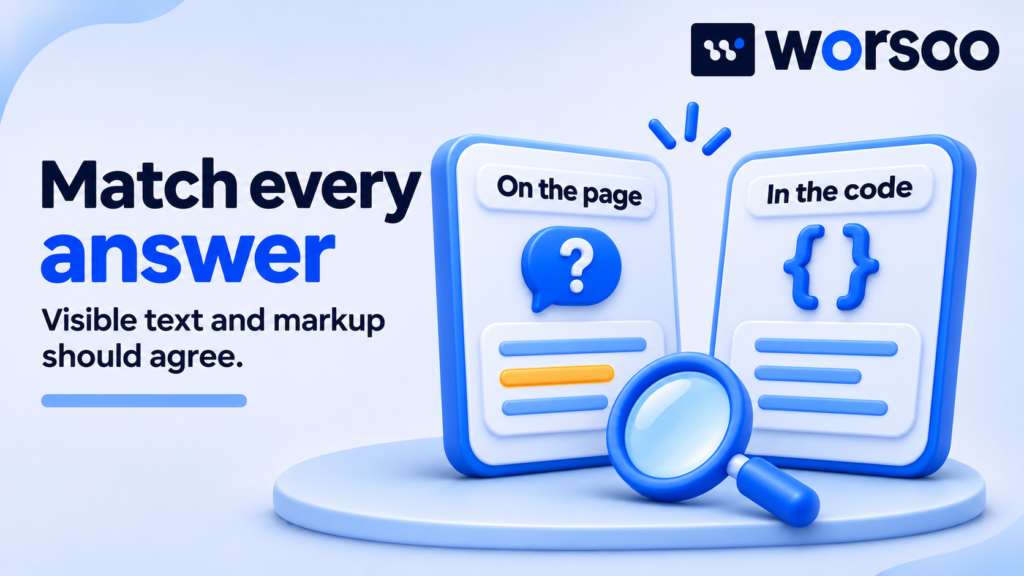
A useful test record separates code errors from content errors. It states what was checked, what differed, and what should happen next. Include enough detail for another person to repeat the check. A score or screenshot without the page URL and expected answer leaves too much room for guesswork.
Fictional example: a service page has three visible FAQs. The owner intends to mark up all three. The validator finds two questions and no syntax errors. One marked-up answer still says replies arrive within 24 hours, while the page now says two business days.
| Check | Example finding | Useful action |
|---|---|---|
| Code syntax | No syntax errors reported | Continue with the content check |
| Question coverage | Three visible questions; two in the markup | Confirm the intended coverage |
| Answer accuracy | 24 hours in code; two business days on the page | Correct the stale answer at its source |
| Repair verification | The code and visible text must agree | Retest the published URL after the change |
The missing third question is not automatically a JSON syntax error. It is a coverage gap against this owner’s stated plan. The conflicting response time is a content problem even if every bracket is correct.
The Schema.org FAQPage definition describes a webpage presenting frequently asked questions. It does not verify a company’s promises. When you test FAQ schema, that judgment stays with the person reviewing the page.
If you need help tracing conflicting output, explore Worsoo’s SEO services and ask about a review of your markup and technical priorities.
What causes FAQ schema problems in WordPress?

WordPress problems often come from how the page is built and cached. Several features may generate the same markup, or the visible answer may change while a separate code block stays untouched. Check each source before adding more code. The published output tells you more than a plugin setting alone.
Several features describe the same FAQ
A page builder and a custom snippet may both describe the same questions. Multiple scripts are not automatically an error: a page can also contain Article, Organization, and Breadcrumb data. Look for repeated or conflicting descriptions of the same FAQ.
The editor shows a change that visitors cannot see
Cached HTML can preserve an older answer. Test FAQ schema while logged out and compare the public page with the saved editor content. Clear only the relevant cache, then check again.
A manual snippet contains broken JSON
A missing comma, a trailing comma, or an unescaped quotation mark can break the code. For example, quotes inside an answer must be escaped when that answer is stored as a JSON string. Fix the reported character instead of rewriting the whole FAQ.
The FAQ text and its markup have separate owners
An editor may update the page while a developer maintains a separate snippet. Agree on one source for the answers where possible. Test FAQ schema after changes to the FAQ block or its template, and keep a backup before changing shared settings.
Should you keep, fix, or remove the markup?
Keep useful questions and answers on the page. Decide separately whether their markup serves a real purpose. Accurate, low-maintenance code may be worth keeping for a system that uses it. Broken or misleading output needs attention. A retired search display alone is not a reason to delete helpful content.
Before you test FAQ schema across every URL, choose the work that matters most:
- Fix first: false answers, exposed private details, or broken code that also disrupts other schema.
- Review next: conflicting FAQ generators, stale cached answers, and templates with unclear ownership.
- Keep if useful: accurate markup with a known consumer and a clear maintenance process.
- Remove if unnecessary: a redundant FAQ block with no identified use. Check its dependencies first.
- Do not buy: a promise to restore Google’s retired FAQ rich results.
If the real concern is low traffic, investigate page access, indexing, search intent, and the page’s offer. Worsoo’s technical SEO checklist can help you review those wider issues. A schema pass does not tell you why people do or do not click.
What else should you know about FAQ schema testing?
The most useful questions concern the scope of the test: whether it costs anything, what a missing result means, and what to check after a change. Keep the code, the published page, and Google’s indexed version separate. A result about one does not settle the others.
Can I test FAQ schema for free?
Yes. You can test FAQ schema with the free Schema Markup Validator using a public page URL or a code snippet. Then compare the extracted questions with the visible page. You do not need a paid plugin to run these checks, although repairs may need technical help.
Why does the Rich Results Test show no FAQ items?
The Rich Results Test checks the search features Google currently supports. FAQ is not on its supported list. Use the Schema Markup Validator to inspect FAQPage markup, then check the live page yourself. An absent FAQ item in Google’s tool is not enough to diagnose a code error.
Does valid FAQ schema guarantee better rankings?
No. A valid result shows that the markup passed the checks that tool performed. It does not measure the quality of your service, the strength of your content, or demand for the topic. Judge results through relevant search traffic and inquiries, alongside checks that the page works.
How often should I test FAQ schema?
Test FAQ schema when you first add it and after changes to FAQ text, page templates, or the feature that generates the code. Include a sample of FAQ pages in routine site checks. A change-based schedule is more useful than repeatedly testing untouched code without a clear reason.
Should I delete my FAQ section if I remove its schema?
No. Keep the section if it answers real questions and helps visitors make a decision. You can remove an unnecessary code block while keeping the visible text. Before changing a plugin or template, confirm that the setting controls only the intended markup and does not remove the FAQ itself.
What should you do next?
Test FAQ schema by checking the code, the visible answers, and the published output. Fix real mismatches, give each template a clear owner, and record the result. Treat validation as a quality check that helps you maintain accurate pages, with clear limits on what it can establish.
Need a second opinion? Request a technical SEO review from Worsoo. Share the page URL, your test result, and the issue you want to solve so we can discuss the scope and next steps.
About the author: Worsoo is a digital agency offering SEO and content services. This guide uses official documentation and a clearly labeled fictional example.