


By Worsoo Digital Agency · Last updated November 25, 2026
Service schema markup describes the work a customer can hire you to do and identifies who provides it. On an SEO agency page, use Service for the offer and provider for the agency that delivers the work.
Imagine a customer lands on your page and asks two questions: “What can I book here?” and “Who will do the work?” Your structured data should give the same answers as the page. Here’s how to write that record, add it to WordPress, and check what your site actually publishes.
Key takeaways
- Give each distinct service its own name and ID. Reuse the agency’s ID wherever that agency is the provider.
- Point the service URL to the page where customers can learn about or request the work.
- For a custom quote, leave out the numeric price. A price of zero means the service is free.
- Check the record with the Schema Markup Validator. Google’s Rich Results Test checks eligibility for specific search features.
What does service schema markup tell a search engine?
Service schema markup connects three facts: what the business offers, who provides it, and where a customer can find the details. The Service record names the work. Its provider field identifies the person or company responsible. Its url points to the page that describes the offer.
Take Worsoo’s on-page and off-page SEO services. “On-Page and Off-Page SEO” names the work. “Worsoo Digital Agency” names the provider. If someone asks what they can hire the agency to do, the first name answers their question. If they ask who will do it, the second one does.
| Field | Question it answers | Example for an SEO agency |
|---|---|---|
@type |
What are you describing? | Service |
@id |
Which specific offer is this? | The service page address followed by #service |
name |
What do customers call the service? | On-Page and Off-Page SEO |
serviceType |
What kind of work is it? | Search engine optimization |
url |
Where can a customer find the details? | The public SEO service page |
provider |
Who delivers the work? | Worsoo Digital Agency |
areaServed |
Where is the service available? | The actual coverage area, when confirmed |
offers |
What terms can a customer accept? | A published package with a price and currency, when applicable |
The <a href=”https://schema.org/Service” target=”_blank” rel=”noopener noreferrer”><strong>Schema.org Service reference</strong></a> defines these properties. Start with the fields you can support from the page. An accurate name, provider, and URL are more useful than a long record filled with guesses.
What does an SEO agency’s Service JSON-LD look like?
The example below uses two records. The first identifies Worsoo Digital Agency. The second describes its SEO service and points back to the agency through provider. The two IDs serve different purposes, even though both belong to the same website.
JSON-LD is a way to write structured data using named fields and values. This teaching example uses Worsoo’s public service name and page address. The #organization and #service identifiers illustrate one setup. If your SEO plugin already gives the agency a stable ID, use that exact value.
{
  "@context": "https://schema.org",
  "@graph": [
    {
      "@type": "Organization",
      "@id": "https://worsoo.com/#organization",
      "name": "Worsoo Digital Agency",
      "url": "https://worsoo.com/"
    },
    {
      "@type": "Service",
      "@id": "https://worsoo.com/services/seo-onpage-offpage/#service",
      "name": "On-Page and Off-Page SEO",
      "serviceType": "Search engine optimization",
      "url": "https://worsoo.com/services/seo-onpage-offpage/",
      "provider": {
        "@id": "https://worsoo.com/#organization"
      }
    }
  ]
}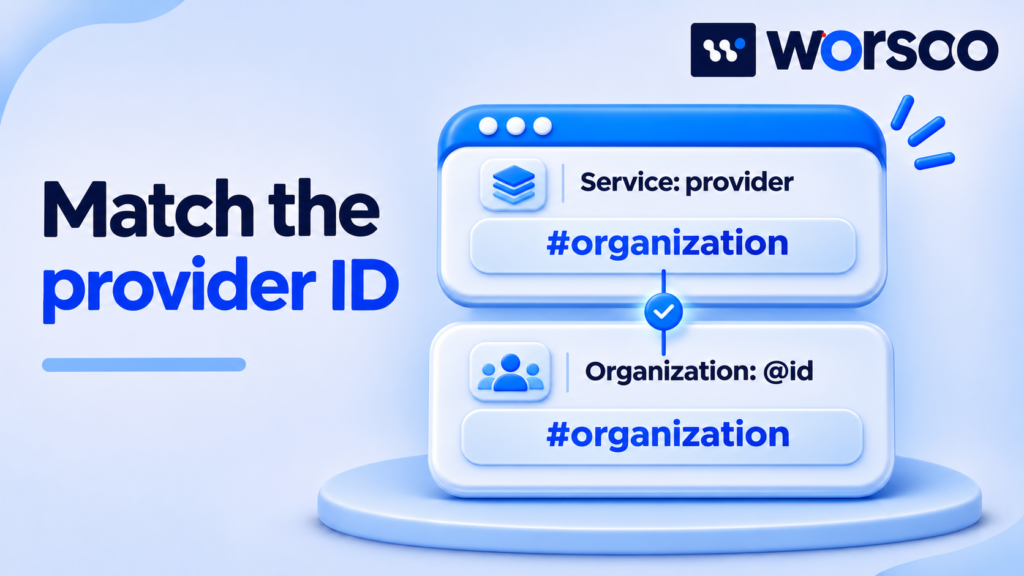
Read the example from the bottom up. The provider field contains an ID ending in #organization. Find that same ID in the first record, and you get the provider’s name: Worsoo Digital Agency. That exact match connects the service to the business.
Now compare the two URLs. The agency record points to the homepage. The service record points to the SEO page. A visitor looking for information about Worsoo and a buyer ready to discuss SEO have different starting points. The two URLs preserve that distinction.
Notice what the example leaves out. It gives no monthly fee, delivery date, sales territory, or minimum contract. Each of those details could affect a purchase. Add one when the service page makes a clear commitment that the business can honor.
When should you add a price, package, or service area?
Add a detail when a customer can use it to make a decision and you can verify it. A public package with a fixed fee can support a price. A page that invites customers to request a quote can describe the service fully without assigning it a dollar amount.
| What the customer sees | What to put in the record |
|---|---|
| “Request a custom SEO quote” | Describe the service and provider. Leave out the numeric price. |
| A fixed-price audit with a clear scope | Consider an Offer with the same price and currency shown on the page. |
| Monthly SEO with several plans | Identify which terms belong to each plan before adding prices or billing details. |
| A statement that the agency serves customers across the US | Use areaServed if that coverage is accurate for this service. |
| A local office address | Confirm how far the agency delivers the service. An office address alone does not establish coverage. |
Here’s a practical pricing check. Suppose a page offers an audit “from $500,” but the agency prepares a custom quote after checking the number of pages. A record that simply says “$500” drops a qualification the buyer needs. Before publishing a price, ask whether a customer could order the described work on those exact terms.
The same check works for service areas. An agency may offer remote SEO nationwide and on-site training in one city. Give each service its own coverage when that difference appears on the relevant pages.
If the business, page, and service are starting to sound like the same thing, Worsoo’s schema markup guide explains how one page can describe several related things without giving them all the same identity.
How do you add service schema markup in WordPress?
Start by inspecting the published service page. Your SEO plugin or theme may already output the agency’s name and organization ID. Reuse those details where they are correct. Then add or correct the service record in the setting that controls that page. This makes future changes easier to trace.
- Read the offer as a customer. Look at the page heading, the description, and the call to action. Write down the service someone can request in one sentence. If you can’t name it clearly, settle the wording on the page first.
- Find the existing structured data. View the page source and search for
application/ld+json. Look for the business name and the typesOrganizationandService. If your site adds scripts after the page loads, inspect the rendered page too. - Identify the provider. Copy the full
@idfrom the correct agency record, including its slashes and fragment. If there is no provider record, you can define one alongside the service, as in the example. - Give the service its own ID. A separate page for SEO and another for web design can share a provider. Each distinct offer should have an ID that identifies its own service.
- Choose the right publishing method. On a sales page, add the live JSON-LD through the plugin or template that manages its schema. In a tutorial like this one, use a WordPress Code block for the example readers should see and copy.
- Check the live URL after saving. Clear the relevant cache and reopen the page while signed out. Confirm the service name, provider, and destination URL. If you corrected an outdated value, search for the old value too.
Try the two-tab check. Open your SEO page in one tab and a different service page in another. Compare their name, @id, url, and provider fields. The provider can match on both pages. If the web design page also carries the SEO service name and ID, you’ve found a template error that a syntax check can miss.
Why can two schema tests give different results?
A schema validator checks whether it can read a record and interpret its fields. Google’s Rich Results Test checks for markup tied to search features Google supports. A valid service record can therefore pass a vocabulary check while producing no dedicated Service result in Google’s test.
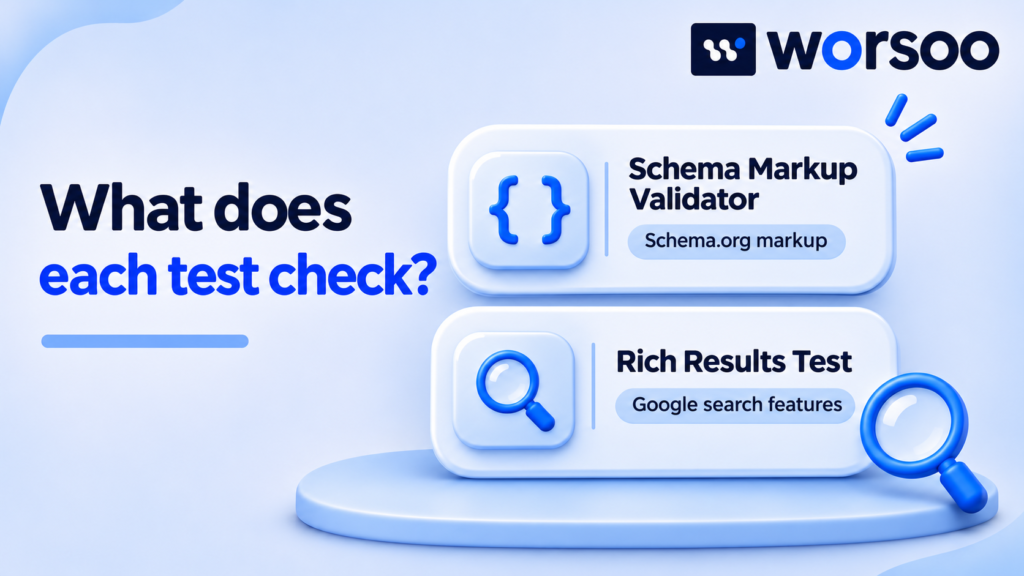
Use each check for the question it can answer:
| Your question | Where to check | What to look for |
|---|---|---|
| Can the service record be read? | <a href=”https://validator.schema.org/” target=”_blank” rel=”noopener noreferrer”><strong>Schema Markup Validator</strong></a> | The Service type, its properties, its provider, and any reported issues |
| Does Google document a dedicated result for this type? | <a href=”https://developers.google.com/search/docs/appearance/structured-data/search-gallery” target=”_blank” rel=”noopener noreferrer”><strong>Google’s supported structured data gallery</strong></a> | The search features Google currently supports |
| Does this live page contain markup for a supported feature? | <a href=”https://search.google.com/test/rich-results” target=”_blank” rel=”noopener noreferrer”><strong>Google Rich Results Test</strong></a> | The eligible items detected on the published URL |
| Does the record describe what the customer can buy? | The public page and the person responsible for the offer | Agreement on the service, provider, price, and coverage |
As of November 25, 2026, Google’s gallery does not list a dedicated rich result for a general Service record. If the Rich Results Test detects breadcrumbs on your service page, that result concerns the breadcrumbs. Keep the service type accurate even when it produces no special search display.
What should you check before publishing?
- The service name matches the offer visitors can find on the page.
- The provider ID identifies the business that delivers the work.
- The service URL opens the correct page.
- Any price, currency, or package terms match the visible offer.
- The service area reflects where the business delivers that specific service.
- The published page contains the intended record without a second record that contradicts it.
If several service pages show the same wrong value, use Worsoo’s technical SEO checklist to group the affected pages by template. Fixing the source of a shared error can save you from editing every page separately.
Frequently asked questions
Can a freelancer use Service schema?
Yes. A freelancer can use Service for the work and Person for the provider when customers hire the individual under their own name. If customers hire an agency, identify the agency as the provider. The name in the record should match the person or business customers expect to deal with.
Does a custom-priced service need a price in its schema?
No. You can describe the service, provider, and public page without entering a price. If the fee depends on the size of the website or scope of work, explain the quote process on the page. Add a numeric price when you have specific public terms to support it.
Can one page describe more than one service?
Yes, when visitors can clearly identify each offer. Give genuinely distinct services their own names and IDs. If the page sells one SEO package that includes research, reporting, and recommendations, a single service record can describe that package. Each step in the work does not need its own record.
Can an agency use both LocalBusiness and Service schema?
Yes, when both accurately describe the business. A LocalBusiness record can identify a genuine business location, while a Service record describes work a customer can request. Connect the service to the appropriate provider ID. Check the physical address and the service area separately because they answer different questions.
Should I put the same Service schema on every page?
Use the service record where the page describes that offer. Your agency ID can stay consistent across the site. A blog post explaining how SEO works, however, serves a different purpose from a sales page where customers can request SEO. Choose the main record that fits each page.
Start with the page that brings you inquiries
To review your service schema markup, choose one service page and write down what a customer can request, who delivers it, and where the request begins. Then compare those answers with the name, provider, and url in the published record. You can finish that check before adding a single new field.
If the page and its code give different answers, request a technical SEO review from Worsoo. Share the service URL and the field you’re unsure about. That gives the reviewer a clear task: find what publishes the value, correct it at the source, and verify the result on the live page.
About the author: Worsoo Digital Agency provides on-page and off-page SEO services and publishes practical guides to WordPress, structured data, and technical SEO.