

Your website might look perfectly fine to visitors while hidden SEO problems prevent important pages from performing well in Google.
An outdated canonical tag, an accidentally blocked service page, broken internal links, or content that doesn’t match search intent can all affect your website’s visibility. The difficult part is often deciding which problems deserve attention first.
A free SEO audit template makes that process easier. It helps you record website issues, understand their impact, and turn scattered findings into a practical improvement plan.
In this guide, you’ll get a copyable SEO audit checklist, a sample audit report, and a step-by-step process for reviewing technical SEO, content, internal links, backlinks, and website performance.
Free SEO Audit Template: Copy and Use It Today
You can use this SEO audit template in Google Sheets or Microsoft Excel. No expensive software is required to organize your findings.
Start by creating these columns:
| Audit Column | What to Record |
|---|---|
| Page URL | Exact URL being reviewed |
| SEO Category | Technical, Content, On-Page, Links, or Performance |
| Issue Identified | Description of the confirmed problem |
| Evidence | Tool, report, or screenshot supporting the finding |
| SEO Impact | Why the issue matters |
| Priority | Critical, High, Medium, or Low |
| Recommended Fix | Specific action required |
| Assigned To | Person responsible for the task |
| Status | Open, In Progress, Fixed, or Monitoring |
| Verification | How you confirmed the result |
Sample SEO Audit Report
The table below shows how a completed audit might look.
| Issue | Priority | Recommended Action | Status |
|---|---|---|---|
| Important service page has noindex directive | Critical | Remove unintended noindex and verify the page | Open |
| Three internal links return 404 errors | High | Update links to relevant working pages | In Progress |
| Mobile landing page has poor LCP | High | Investigate the largest visible content element | Open |
| Two blog posts target the same search intent | Medium | Compare performance and consider consolidation | Under Review |
| Old screenshots in an SEO tutorial | Low | Replace outdated visuals | Planned |
These are illustrative findings, not results from a real client audit.
For a more organized workbook, create four tabs: Website Overview, SEO Checklist, Issue Tracker, and Final Report.
Keep the original evidence even after fixing an issue. A useful SEO audit report should show what was wrong, what changed, and how the fix was verified.
What Is an SEO Audit Template?
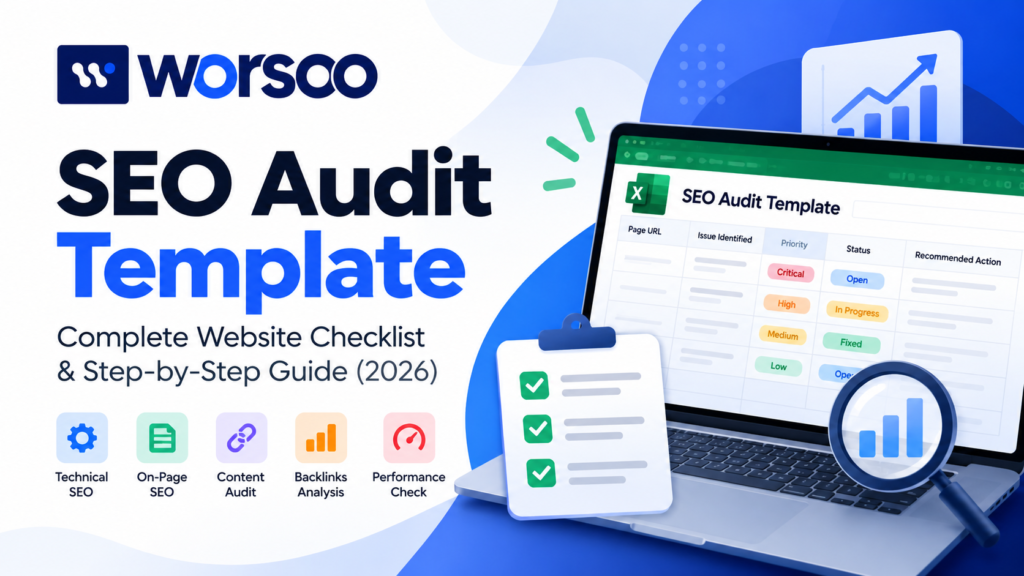
An SEO audit template is a reusable spreadsheet or document used to evaluate a website’s search performance, technical condition, content, links, and optimization opportunities.
Unlike a basic checklist, a good template also includes issue severity, supporting evidence, recommended fixes, and progress tracking.
For example, identifying 20 pages with missing meta descriptions might sound important. However, finding that your highest-value service page is accidentally excluded from Google’s index is generally a more urgent problem.
A structured template helps you prioritize based on evidence rather than the number of warnings shown by an SEO tool.
If you want to understand the wider process first, read Worsoo’s complete website SEO audit guide.
Step 1: Check Your Website’s Search Performance
Before making changes, understand how your website currently performs.
Open Google Search Console and select your website property.
Review the previous three months of data, including:
- Total clicks and impressions
- Average click-through rate (CTR)
- Average search position
- Queries generating visibility
- Top-performing pages
- Pages with declining search traffic
Here’s a practical example.
Suppose an article receives 4,000 impressions and 20 clicks. Its CTR is 0.5%.
That might suggest an opportunity, but don’t immediately rewrite the title.
First, check the queries and positions responsible for those impressions. The article could be appearing mostly on later search-result pages, or Google might be showing it for searches that aren’t closely related to the content.
Record your findings in the template before recommending changes.
You can also use Google Analytics to review organic landing pages and conversions when tracking is configured correctly.
Expert tip: Separate ranking problems from conversion problems. A page can attract relevant visitors and still fail to generate inquiries because its messaging, offer, or user experience needs improvement.
Step 2: Review Technical SEO and Indexing
Technical problems can affect how search engines access, interpret, and index your website.
Start with the pages that matter most: your homepage, service pages, important categories, and valuable blog articles.
| Technical Element | What to Check |
|---|---|
| Robots.txt | Are important pages unintentionally blocked? |
| XML Sitemap | Does it contain the intended canonical URLs? |
| Indexing | Are valuable pages eligible for Google’s index? |
| Canonical Tags | Do they identify the appropriate preferred URL? |
| Redirects | Are there unnecessary redirect chains? |
| HTTP Errors | Do important URLs return 404 or server errors? |
| Internal Links | Can visitors and crawlers discover important pages? |
Use Search Console’s URL Inspection tool to investigate individual URLs.
Google’s Search Essentials explain the technical requirements for content to be eligible for Google Search.
Remember that submitting a sitemap doesn’t guarantee indexing, and a page excluded from Google’s index doesn’t always indicate a technical error.
For a deeper inspection, follow Worsoo’s 25-point technical SEO checklist.
Step 3: Audit On-Page SEO and Content Quality
Once you’ve checked technical accessibility, review whether your pages actually satisfy their intended searches.
For each important URL, evaluate the title tag, H1, headings, meta description, URL structure, images, and main content.
But don’t stop at checking whether the keyword appears.
Imagine someone searches for “SEO audit template” and lands on a page explaining the history of SEO without providing a template.
The content might be accurate, but it doesn’t deliver what the visitor wanted.
A better page provides the template immediately, explains how to use it, and offers further guidance for people who need it.
Check these five questions
- Does the page answer the visitor’s primary question?
- Does it provide the resource or solution promised by the title?
- Is the information accurate, original, and reasonably current?
- Are headings and paragraphs easy to follow?
- Does the page offer useful examples rather than repeating general advice?
Google’s people-first content guidance emphasizes usefulness, originality, and reliability.
For Worsoo, practical screenshots, real audit workflows, and carefully explained examples can help distinguish content from generic SEO articles.
Step 4: Examine Internal Links and Backlinks
Internal links connect related pages and help visitors continue learning.
For example, an SEO audit article can naturally direct readers toward technical SEO guidance, backlink analysis, or professional services.
During your audit, look for broken internal links, orphan pages, and important URLs receiving very few relevant links.
Also check for multiple articles targeting substantially identical search intent. Similar titles don’t automatically justify deleting a page; compare the content and search performance before deciding whether to merge them.
Backlinks deserve a separate review.
Tools such as Ahrefs can help you examine referring domains, lost backlinks, and pages earning external links.
However, don’t classify every backlink from an unfamiliar website as harmful.
Consider relevance, context, placement, and evidence of manipulation rather than relying on a single third-party metric.
For further reading, explore Worsoo’s guide to backlink quality and backlink profile analysis tutorial.
Step 5: Measure Website Speed and Mobile Experience
A useful website should work reliably across devices, particularly on mobile.
Google’s Core Web Vitals measure three important aspects of user experience.
| Core Web Vital | What It Measures | Good Threshold |
|---|---|---|
| Largest Contentful Paint (LCP) | Loading performance | 2.5 seconds or less |
| Interaction to Next Paint (INP) | Responsiveness | 200 milliseconds or less |
| Cumulative Layout Shift (CLS) | Visual stability | 0.1 or less |
Google recommends evaluating these thresholds at the 75th percentile of page visits, separately for mobile and desktop where data is available.
Source: Google’s Core Web Vitals documentation.
Use PageSpeed Insights to evaluate individual pages.
If a page performs poorly, investigate the cause before making changes.
For instance, a slow-loading hero image may require resizing, compression, or better resource loading. But if the problem is server response time, image compression alone won’t solve it.
Record the specific evidence and recommended fix in your template.
Step 6: Evaluate E-E-A-T and Website Trust
Search engines aim to provide information that visitors can rely on.
Google’s E-E-A-T framework refers to Experience, Expertise, Authoritativeness, and Trustworthiness.
It isn’t a standalone ranking score, but the underlying principles are useful when evaluating content credibility.
Check whether your website includes:
- Accurate author names and relevant background
- Original examples or documented experience
- Reliable references for factual claims
- Clear business contact information
- Transparent service descriptions
- Updated and accurate content
For example, a tutorial demonstrating an SEO issue through an actual tool interface provides more evidence than an unsupported claim that a particular technique always increases rankings.
Avoid fabricated testimonials, invented performance statistics, and exaggerated guarantees.
For service-based businesses, trust also depends on accurate contact details and realistic descriptions of what customers can expect.
Step 7: Include AEO, GEO, and AI Search Checks
Traditional Google search isn’t the only way people encounter online information.
AI-powered search features and assistants can also surface, summarize, and reference web content.
This makes content clarity and accessibility useful areas to include in an SEO audit.
Answer Engine Optimization (AEO)
AEO focuses on making information straightforward to understand and answer-oriented.
Check whether your pages:
- Provide direct answers to important questions
- Use descriptive headings
- Explain technical terms accurately
- Include useful comparisons and examples
- Support important claims with reliable sources
A question-based heading followed by a clear answer often helps the reader, regardless of whether an answer engine features it.
Generative Engine Optimization (GEO)
GEO considers how content might be discovered, understood, and referenced in AI-generated experiences.
Review the originality of your information, source attribution, page accessibility, and consistency of business details.
For LLM discoverability, remember that different AI products retrieve information differently.
Google’s AI features guidance confirms that established SEO practices remain relevant for AI Overviews and AI Mode. It does not require special AI-only schema.
There is no guaranteed method to make a page appear in AI-generated responses.
The strongest foundation remains useful content, sound technical SEO, original evidence, and accurate information.
Step 8: Prioritize SEO Issues by Impact
Finding problems is only half the job. The next step is deciding what deserves attention first.
Not every warning carries the same risk.
| Priority | Example Issue | Recommended Action |
|---|---|---|
| Critical | Important page unintentionally noindexed | Investigate immediately |
| High | Broken link to a major service page | Fix promptly |
| High | Serious mobile usability issue | Prioritize repair |
| Medium | Overlapping informational articles | Review search intent and consolidation options |
| Low | Minor formatting inconsistency | Include in routine maintenance |
These priority levels are practical editorial categories, not an official Google scoring system.
When assigning priority, consider the page’s business value, the number of affected URLs, the reliability of your findings, and how difficult the fix will be.
An audit covering 100 minor warnings may be less valuable than identifying three important issues preventing customers from discovering your services.
Step 9: Turn Your Findings Into an SEO Action Plan
Your audit should end with a clear implementation schedule.
Here’s an example of a four-week SEO improvement plan.
| Week | Primary Task | Expected Deliverable |
|---|---|---|
| Week 1 | Fix critical technical and indexing issues | Verified technical corrections |
| Week 2 | Improve priority content and on-page SEO | Updated key pages |
| Week 3 | Review internal links and overlapping articles | Improved linking structure |
| Week 4 | Recheck changes and performance | Updated audit report |
Assign every task to someone responsible, record its completion status, and verify the outcome.
A technical fix can sometimes be confirmed immediately. Improvements in rankings or organic traffic may take longer to become measurable.
Avoid assuming that every SEO change will produce an immediate ranking increase.
Complete SEO Audit Checklist
Before finalizing your report, use this short checklist.
-
Review Search Console performance and search queries.
-
Check important pages for indexing issues.
-
Verify robots.txt, XML sitemap, and canonical tags.
-
Investigate broken URLs and redirects.
-
Evaluate titles, headings, and search intent.
-
Review content quality and factual accuracy.
-
Find broken and missing internal links.
-
Check backlink relevance and lost links.
-
Measure mobile performance and Core Web Vitals.
-
Verify author information and business trust signals.
-
Review AEO, GEO, and AI-search accessibility basics.
-
Assign priorities, owners, and verification steps.
A completed checklist doesn’t mean your website is guaranteed to rank well. It means you’ve created an organized process for identifying and addressing potential SEO problems.
Need Help With Your Website’s SEO Audit?
An SEO audit template is an excellent starting point, but interpreting the findings requires an understanding of technical SEO, search intent, and your business goals.
At Worsoo, we offer digital marketing and SEO services designed to help businesses identify optimization opportunities and improve their online presence.
Whether you’re dealing with indexing issues, weak organic visibility, or content that isn’t reaching the right audience, a structured review can help clarify your next steps.
Explore our On-Page and Off-Page SEO Services to learn more.
Ready to discuss your website? Contact Worsoo to request a consultation or quote.
Frequently Asked Questions
What is a free SEO audit template?
A free SEO audit template is a reusable checklist or spreadsheet that helps identify website optimization issues, record supporting evidence, and organize recommended improvements.
Can I perform an SEO audit myself?
Yes. Google Search Console, PageSpeed Insights, and a spreadsheet can help you perform many essential checks. More complex websites may benefit from specialized crawling tools or professional analysis.
What should an SEO audit report include?
It should summarize website performance, technical issues, content opportunities, affected URLs, priorities, recommended fixes, responsible owners, and verification results.
How often should you conduct an SEO audit?
It depends on website size and how frequently it changes. Review important metrics regularly, conduct more detailed audits periodically, and investigate after significant website changes or unexpected traffic declines.
Is an SEO audit template different from an SEO audit report template?
Yes. The audit template helps collect and manage findings during the investigation. The report template presents those findings and recommendations clearly to stakeholders. Both can be included in one workbook.
Does an SEO audit guarantee higher Google rankings?
No. An audit identifies problems and opportunities. Results depend on the improvements implemented, competition, content quality, and how search engines evaluate the website.
Final Thoughts
A useful SEO audit doesn’t need to be complicated. It needs to help you understand what’s working, what isn’t, and what to do next.
Start with your important pages, record confirmed findings, prioritize meaningful issues, and track improvements over time.
Use the free SEO audit template in this guide to bring everything into one place.
And if you’d prefer professional support, get in touch with Worsoo to discuss your website’s SEO needs.