

The editor accepted your topic. Your writer finished the article. The client approved the images.
Then the wrong draft went to the publisher.
Guest posting can become difficult when details are spread across email, chat, documents, and spreadsheets. Another tool may help, but only when each tool has a clear job.
Guest post tools help you research publishers, record outreach, manage drafts, track approvals, and check live articles. A practical starting setup is a shared tracker, one working document per article, an email thread, and an organized image folder. Add more software when a specific part of the process becomes hard to manage.
This guide explains how to build that setup, what to record, and how to avoid common handoff mistakes.
Which guest post tools do you actually need?
Choose tools around the work you need to do.
A small team may manage its placements with a spreadsheet and shared documents. A larger team may need a task board or outreach system to make ownership clearer.
| Job | Practical tool option | What to keep there | Main limitation |
|---|---|---|---|
| Publisher research | Web search and the publisher’s own website | Current guidelines and evidence of audience fit | Search results still need human review |
| Campaign tracking | Google Sheets or a spreadsheet your team uses | Status, owner, URLs, costs, and next action | Records become unreliable if nobody updates them |
| Draft control | Google Docs or a shared document editor | The working draft and review decisions | A document link alone does not prove approval |
| Communication | Your business email | The editor’s replies and agreed details | Important decisions can get buried in long threads |
| Task ownership | Trello or an existing project board | One article card with a completion checklist | A board can duplicate the tracker if roles are unclear |
| Image handoff | A shared folder with controlled access | Approved files, captions, and source records | Similar filenames can lead to the wrong image being used |
| Publication checks | A browser and a saved checking sheet | Live URL, link checks, and corrections | A live link does not prove search indexing or business results |
These are practical options, not a claim that one brand is best for every team. Use software your team can maintain consistently.
1. Use search tools to build a verified publisher shortlist
A list of domains is a starting point. Before contacting a publisher, visit its website and read the current submission instructions.
Record the page where you found the guidelines and the date you checked them. That makes it easier to review the decision later.
Useful research questions include:
- Does the website cover problems our target readers have?
- Does the relevant section publish contributions like ours?
- Is there a current submission route?
- Are there topic, image, link, or format rules?
- Can we read recent articles in the proposed section?
Do not let a tool’s authority score replace these checks. A number does not tell you whether the editor will accept the topic or whether the audience needs the article.
For the research process, see our guide to finding guest post opportunities.
Keep the evidence with the decision
Instead of writing “good website,” write something specific:
Publishes practical guides for small business owners. Current contribution page accepts topic pitches. Our proposed article fits its operations section.
This short note is more useful to a colleague than an unexplained rating.
If an AI assistant helps summarize the guidelines, compare its summary with the actual page. It may miss an exception, an old date, or a rule written elsewhere on the site.
2. Use Google Sheets as the main campaign record
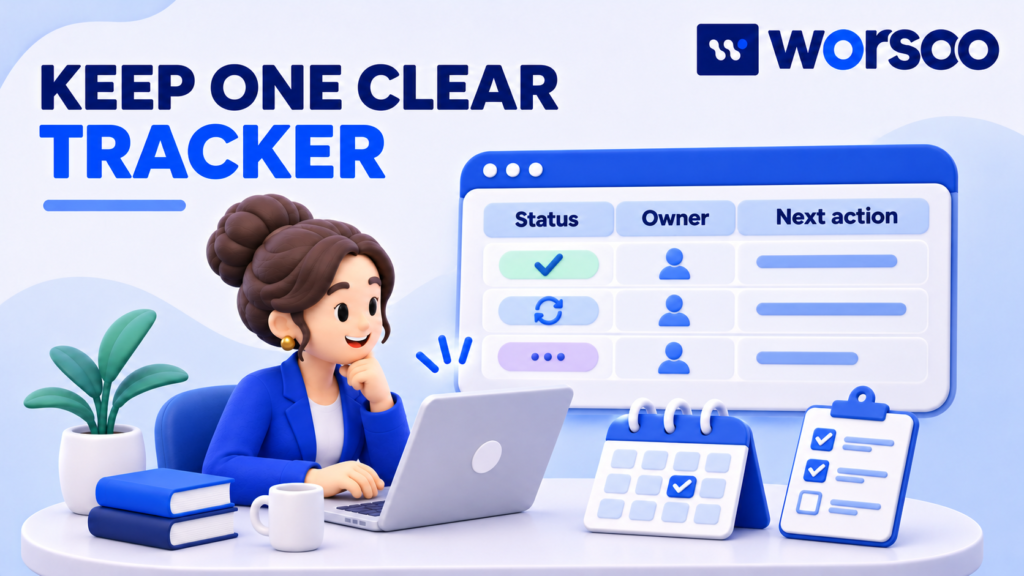
A spreadsheet can give the team one place to check the current state of each placement.
Use one row per article-placement job. If one publisher is handling three different articles, create three rows with different job IDs.
That prevents the price, draft, or live URL for one article from being confused with another.
Start with these fields:
| Field | Why it matters |
|---|---|
| Job ID | Connects the tracker, draft, folder, and email |
| Client or project | Shows whose article it is |
| Publisher domain | Identifies the destination website |
| Guidelines URL and checked date | Preserves the research source |
| Topic and draft link | Opens the correct working article |
| Contact and email thread | Keeps communication easy to find |
| Owner | Names the person responsible for the next step |
| Status | Shows the current stage |
| Next action and due date | Explains what should happen next |
| Approved image folder | Identifies the correct assets |
| Approval record | Shows who approved which version and when |
| Live URL and check date | Records publication and verification |
Add cost and invoice fields if the same tracker also supports order management. Keep private payment information in an appropriately restricted system.
Use a controlled status list
Google Sheets supports dropdown lists, including options created from a range or entered directly. You can use these for consistent project statuses rather than asking everyone to type their own wording.
For this workflow, a suggested status list is:
- Researching
- Ready to pitch
- Awaiting editor reply
- Drafting
- Awaiting approval
- Submitted
- Published — unchecked
- Published — checked
- Paused or closed
These are proposed workflow stages, not software limits or industry standards.
Keep “published” and “checked” separate. A publisher’s live-link email is a reason to start the final review, not proof that the article matches the approved files.
3. Keep one working draft in Google Docs
Multiple attachments can create confusion: “final,” “final-new,” and “final-approved” may all contain different text.
Choose one working document and link to it from the campaign record.
Google’s version history guidance explains how to view earlier versions, see changes, and restore a previous version. Browsing earlier versions requires permission to edit the file.
Use version history as a record of changes. Keep an explicit approval record as well. An edit history shows that something changed; it does not establish that the client approved the change.
Add a short handoff note above the draft
Keep publishing instructions separate from the article body so the editor can remove them before publication.
For example:
Job ID: GP-010
Draft status: Approved for submission
Approved version: Version named “Client approved — 4 November 2026”
Images: Use the files in the linked approved folder
Links: Use the destinations listed in the link table
Open questions: None
This is an illustrative format. Use the real job ID, date, and approval state for each article.
Before submission, make sure comments that need answers are resolved or clearly listed. If the publisher requires a Word attachment, export the approved version and record which file was sent.
4. Keep email as the record of editorial agreements
Email is useful for topic acceptance, requested changes, delivery dates, and publishing questions.
The problem is not that email lacks value. The problem is expecting someone to search every message to find the latest decision.
After an important reply, update the tracker with a short summary and the next action. Keep the original message available as the source.
For example:
Editor accepted the revised topic. Article and two approved images due on the agreed date. Maya owns submission.
Use the same thread for the same article when practical. Put the job ID in the subject or your internal notes so the team can connect the conversation to the right record.
Our guest post outreach templates can help you structure a clear first message. Adapt each pitch to the publisher’s audience and instructions.
Automate reminders carefully
Internal reminders can help prevent missed tasks. External follow-ups need more care.
Before sending another message, check whether the editor has replied, declined, or asked you to wait. Stop a sequence when its next message no longer fits the conversation.
If you consider dedicated outreach software, test whether it makes replies, ownership, and stopped campaigns easy to manage. A tool that sends more messages but hides the conversation can create more work.
5. Add Trello when task ownership becomes unclear
If several people research, write, review, and submit articles, a visual task board may help them see who needs to act.
Use one card per article and link it to the main tracker row and working draft. Avoid copying the full article into the card, where it may become a second, outdated version.
Trello’s checklist documentation explains how to add and manage checklists inside cards. For guest posting, use the checklist to show which handoff checks have been completed.
A practical submission checklist is:
- Topic acceptance recorded.
- Publisher guidelines checked.
- Draft reviewed for facts and clarity.
- Client approval recorded where required.
- Link destinations checked.
- Images approved and clearly named.
- Submission format confirmed.
- Final file or document link recorded.
Assign an owner for the card’s next action. “The team is handling it” is difficult to follow up on.
Check the current plan before buying software for advanced permissions, automation, or task features. This guide does not assume that every feature is available on every plan.
Decide which system owns each detail
For example, let the spreadsheet own prices and live URLs, the document own article text, and the task board own the next action.
If both the spreadsheet and board contain status fields, decide who keeps them aligned. Otherwise, one may say “approved” while the other says “awaiting changes.”
6. Build an image handoff that prevents substitutions

Images need the same care as the text.
Create one approved asset folder per article. Use clear filenames such as:
GP-010-feature-approved.jpg
GP-010-middle-product-detail-approved.jpg
Keep rejected and draft images outside that folder. Include captions, alt text, and source or permission details where needed.
If the client requires exact product images, state that clearly in the handoff. Ask the publisher to raise any issue before substituting another image.
Copyable editorial handoff table
| Item | What to provide |
|---|---|
| Article | Link to the approved draft or exact submitted filename |
| Title | The agreed title and whether changes need review |
| Destination links | Exact approved URLs and their intended context |
| Feature image | Approved file and source details |
| Middle images | Approved files and suggested placement |
| Captions and alt text | Text matched to each image |
| Byline | Accurate author name and approved bio |
| Labels and link treatment | Agreed publishing requirements |
| Questions | One contact for corrections or clarification |
For decisions such as revisions, image approval, and what happens after publication, use a clear guest posting agreement.
7. Check the live article before closing the job

Open the live article yourself.
Check the title, body, images, byline, links, and any agreed labels. Test the destination links instead of only reading the visible anchor text.
Record the URL and review date. If something is wrong, describe the exact issue and the requested correction in one clear message.
For example:
The middle image shows a different product. Please replace it with the approved file named GP-010-middle-product-detail-approved.jpg from the supplied folder.
Keep the job open until the correction is checked or the outcome is recorded.
A page that opens in a browser is published and accessible to you. That alone does not prove it is indexed in Google, receiving visitors, or generating leads. Keep those outcomes separate in reports.
Where SEO, AI tools, GEO, and AEO fit
Guest post tools can organize work. They cannot make a weak article useful or guarantee that a search engine or AI system will recommend a business.
Use AI assistants for tasks such as outlining from an approved brief, spotting unclear wording, or suggesting questions for a reviewer. Check the result against the source material.
Do not accept invented statistics, fake expert quotes, or claims of personal experience the author does not have. If a source cannot be checked, remove or rewrite the claim.
For content intended to help readers and answer systems, use clear headings, direct answers, accurate business information, and sources that support the claims. Keep the meaning consistent across the article and linked destination.
Keep publishing volume separate from quality
Google’s spam policies cover scaled content created primarily to manipulate rankings and links created primarily for ranking manipulation. Paid advertising or sponsorship links should be qualified with sponsored or nofollow as described in that guidance.
Adding automation does not remove those concerns. Use tools to reduce missed steps and improve review, rather than treat the number of articles or links as proof of quality.
If a client asks for GEO or AEO reporting, define the platform and evidence being measured. An observed AI mention, a website visit, and a sales enquiry are different results. No workflow tool guarantees visibility across large language models, or LLMs.
Worked example: preventing the wrong image from going live
Imagine a fictional agency preparing an article for a home-product brand.
The writer puts a temporary image in the first draft. Later, the client supplies the correct product photo. The editor is ready to publish.
Without a clear handoff, the editor may use the first image they downloaded.
Here is how the proposed setup handles the same job:
- The tracker identifies the article as GP-010 and shows “Awaiting approval.”
- The writer replaces the temporary image reference in the working draft.
- The approved photo goes into the article’s approved asset folder.
- The reviewer checks the draft and records which version the client approved.
- The submission email links to that version and the exact image file.
- After publication, the owner checks the live image before closing the job.
The useful change is that everyone can identify the current file and approval state. The software supports that process; it does not replace the check.
How to decide whether another tool is worth paying for
Start with a problem you can describe.
“We need better tools” is too broad. “Two people pitched the same editor for the same article” is specific enough to investigate.
Run a small trial using real work. Track:
- Time spent updating records.
- Time spent searching for drafts and approvals.
- Duplicate outreach or missed handoffs.
- Corrections needed after submission.
- Whether the team can export its records.
A simple time-saving calculation
Suppose, in a fictional example, your team handles 20 articles a month. Finding the current files takes 12 minutes per article. After introducing a consistent tracker and folder structure, it takes 4 minutes.
The difference is 8 minutes per article:
20 × 8 = 160 minutes saved, or 2 hours and 40 minutes per month.
This is an illustration, not a research statistic or promised result. Compare the measured time saving with subscription costs, setup time, and ongoing upkeep before deciding.
Do not buy an all-in-one system just to solve a naming problem. Equally, do not keep a process in a spreadsheet when the team can no longer manage access and ownership reliably.
Frequently asked questions
What are the best guest post tools for beginners?
A shared spreadsheet, document editor, business email, and organized asset folder are a practical starting setup. Choose tools your team already understands, then add software when a specific need appears.
Can I manage guest posting with Google Sheets?
Yes, if your workflow is manageable and someone keeps the records current. Use one row per article-placement job, consistent statuses, and links to the correct draft and files.
Do guest posting tools find good websites automatically?
They may help discover candidates, but people still need to check relevance, current submission rules, recent content, and the intended audience. A tool result is not an editorial recommendation by itself.
Should I use an outreach tool or normal email?
Use normal email when the volume and ownership are easy to manage. Consider a dedicated system when shared conversations, reminders, or duplicate contacts become a repeated problem. Test it against those needs before committing.
Can AI write the whole guest article?
AI can assist with drafting, but a responsible reviewer needs to check accuracy, sources, originality, publisher rules, and the client’s claims. Never use generated experience or quotes as if they came from a real person.
Does a published guest post mean the job is complete?
Only after you check the agreed delivery requirements. Record any unresolved corrections. If traffic or lead reporting is included, those checks need their own review dates.
Build a workflow your team can follow
Give every article a clear record, one current draft, approved assets, and a named owner. Those details make it easier to send the right material and check what gets published.
If you need help with outreach and guest publishing, explore Worsoo’s SEO services. Share your niche, audience, and publishing requirements so the work can start with a clear brief.