


Suppose you run a local plumbing business. You join a call about your website and the first slide says “47 crawl issues.” You have one developer available on Friday. Which issue should you ask them to fix?
Now imagine the first slide says “Customers can’t request a boiler repair from the boiler repair page.” The presenter shows you the broken button, opens the correct form, and explains what the developer needs to change. You can make a decision before the second slide.
A good SEO audit presentation gives the client enough evidence to approve the next step. Open with the business goal and your main finding. Show what you tested, explain who it affects, then name the person who can fix it and how you’ll check their work.
Here’s a six-slide outline you can copy, with an example that follows the same business from the opening slide to the follow-up email.
What goes in an SEO audit presentation?
| Slide | Question it answers | What to show |
|---|---|---|
| 1. Executive summary | What needs my attention today? | The business goal, main finding, and decision you need |
| 2. Search performance | What happened, and where? | A small comparison with the pages, dates, and source labelled |
| 3. Evidence | What did you actually see? | One screenshot or a short demonstration of the problem |
| 4. Priorities | Which job comes first? | A short list ordered by impact, evidence, and effort |
| 5. Action plan | Who will do the work? | An owner, proposed date, and completion test for each task |
| 6. Decision and follow-up | What do you need from me? | The approval requested and the date you’ll review results |
Six slides work for the example below. If your client only needs to approve one small fix, you can combine the evidence and action plan. Keep the complete URL list and crawl details available for the person doing the work. See how to organize the full SEO audit report.
Slide 1. Write an executive summary the owner could forward
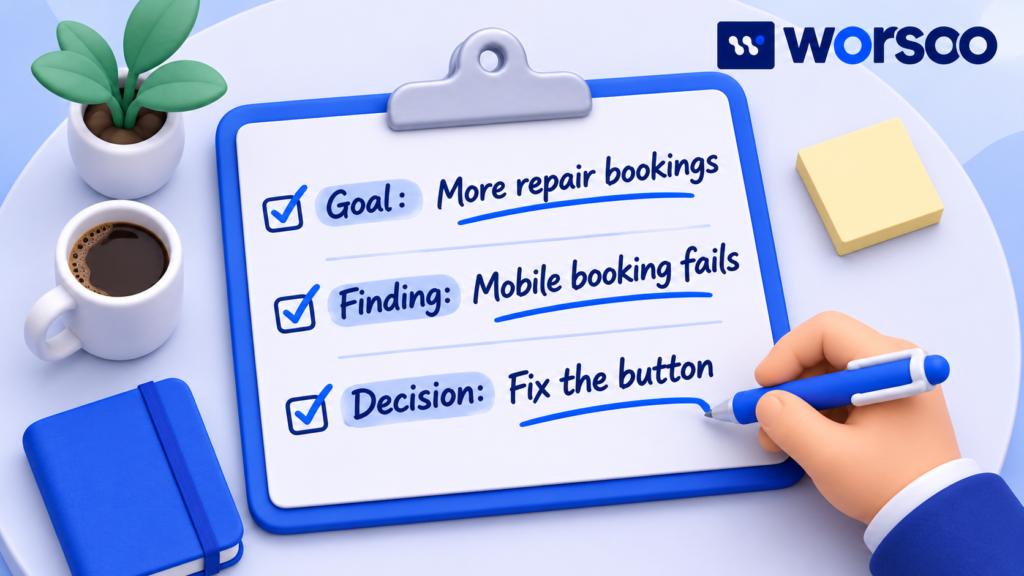
A client may need to explain your request to a partner who missed the meeting. Write the first slide so they can forward it with little explanation. Someone reading it should understand the problem, why it matters, and what you want them to approve.
Sample SEO audit executive summary for a fictional plumbing company
Your goal is to receive more boiler repair enquiries. On mobile, the “Request a repair” button on your boiler repair page opens an error page. The correct form works when opened directly. Please approve changing the button link and one test enquiry after the change. We’ll confirm that your office receives the test.
This summary makes a narrow claim that the reviewer can defend. It also gives the client a reason to act even if their search traffic stays the same. The repair restores a route that an existing visitor could use today.
To write your own, complete these four lines:
| Prompt | Your slide copy |
|---|---|
| Goal | Your team wants more ___ from ___. |
| Finding | On [page], we tested [action] and saw [result]. |
| Effect | This affects people who are trying to ___. |
| Decision | Please approve [specific action]. We’ll confirm completion by ___. |
Read the last line aloud. If the client could say “yes” and the developer would still have to ask what to change, make the request more specific.
Slide 2. Explain impressions and clicks with one fair comparison
A common client question is “Google shows us more often, so why are we getting fewer clicks?” Before suggesting a new title or a content change, show which searches and pages account for the totals.
Here is a fictional example. Both periods cover 28 days with the same country, device, and search type selected. The rows represent two separate page groups.
| Page group | Earlier impressions | Earlier clicks | Recent impressions | Recent clicks |
|---|---|---|---|---|
| Service pages | 4,000 | 80 | 4,000 | 80 |
| Advice articles | 1,000 | 10 | 6,000 | 30 |
| Total | 5,000 | 90 | 10,000 | 110 |
The site’s click-through rate went from 1.8% to 1.1%, yet total clicks rose from 90 to 110. Service pages kept the same 80 clicks. The extra searches mainly showed advice articles, where a smaller share of impressions led to clicks. Calculate the overall rate by dividing total clicks by total impressions. Averaging the two rows’ rates would give the wrong answer.
What to say on the call: “The advice articles accounted for all 20 extra clicks. The service pages held steady. Before we spend time rewriting service titles, let’s look at the searches for those pages and how often each page appeared near the top.”
For a real slide, show the date range and filters beneath the numbers. Use the same reporting level in both periods. Google explains how it counts impressions, clicks, and position, including how the figures can differ when grouped by property or page. Google Search Console metric definitions
If a client asks why clicks fell after a Google update, put the update date on the chart and check which pages, queries, countries, and devices changed. A date gives you a starting point for investigation. A seasonal change in search demand or a recent site change may also explain the pattern. Google’s guide to investigating search traffic drops
Slide 3. Let the client see the problem
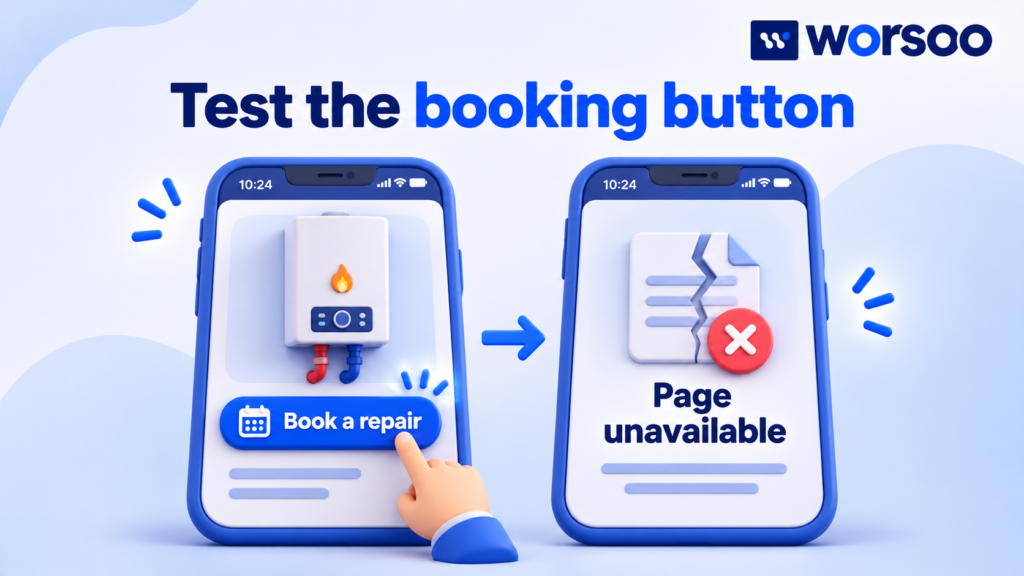
For the plumbing example, use two screenshots side by side. In the first, circle the “Request a repair” button. In the second, show the error page it opens. Underneath, add the page address, test date, and device. Crop both screenshots until the button and the error message can be read on a small laptop.
Title the slide “The boiler repair button opens an error page.” That sentence tells the owner what to look for. A title such as “Internal link analysis” would make them interpret the screenshot on their own.
Say exactly what you tested. Did the button fail on one page or every page that uses the same layout? If you tested only one, show it as one confirmed case. Give the developer a separate task to check other pages using that button. This avoids quoting a sitewide count before someone verifies it.
A client may ask, “How many jobs did we lose?” A fair answer is: “We know the button failed during our test. We’d need records of earlier button clicks and completed requests to estimate the effect. We can fix the route now and measure enquiries going forward.”
When showing evidence on screen, use large labels and describe what each image shows. As a practical reference for slide colours, the W3C’s web accessibility guidance sets minimum contrast at 4.5 to 1 for normal text and 3 to 1 for large text. A label such as “Confirmed” also helps someone follow the slide without relying on the colour red. W3C guidance on text contrast
Slide 4. Explain why one fix comes first
The hardest part of an audit meeting is often choosing between several reasonable jobs. Tell the client what would make you change your order. That gives them an opening to share details you may have missed, such as a planned form replacement next week.
| Finding in the example | Evidence available | Recommendation |
|---|---|---|
| Repair button opens an error page | Reviewer repeated the fault and found the working form | Fix first. Customers using this route are blocked, and the replacement link is known. |
| Office reports fewer online requests | Staff noticed a change, but delivery and tracking records need checking | Investigate. Compare received enquiries with recorded form submissions. |
| Service pages might need new search titles | The sitewide click-through rate fell, while service-page clicks held steady | Wait for page-level evidence. Check the queries and positions before requesting edits. |
The first two jobs can be connected. During the button retest, ask the office to confirm receipt of the agreed test enquiry. If the form shows a success message but the office receives nothing, you have found a second problem worth investigating.
For an agency delivering a partner’s audit, reproduce major findings before putting them on the priority slide. A client may reasonably ask you to demonstrate the problem during the call. White label SEO audit quality checklist
Slide 5. Hand the developer a task they can finish
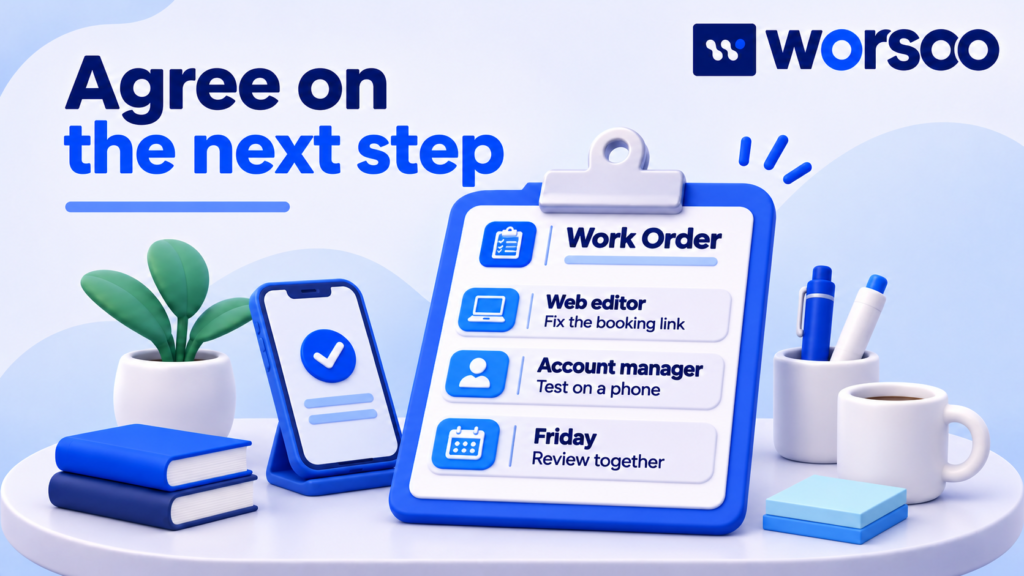
Put the task into the team’s normal work list. The website editor needs the source page, the current destination, the approved destination, and a way to tell whether the change worked. If those details only exist in a recorded meeting, someone will have to find them again.
| Task | Suggested owner | When | Completion check |
|---|---|---|---|
| Confirm which form handles boiler repairs | Office manager | Before the edit | Supplies the approved form URL |
| Update the button destination | Website editor | Next agreed maintenance slot | Button opens the approved form on mobile and desktop |
| Verify receipt | Account manager and office contact | After the edit | A labelled test request reaches the correct inbox |
| Review customer enquiries | Analyst | After an agreed reporting period | Compares genuine requests and records any tracking limits |
Keep two dates if needed. The completion date tells the client when the link works. The results review date tells them when you’ll have enough customer activity to discuss the effect. Exclude your test request from the enquiry count.
Before promising a delivery date, check whether implementation is included in the engagement and whether the person doing the work is available. SEO audit proposal and scope template
Slide 6. Ask for a specific decision
End with the decision while the people who can make it are still on the call. For the plumbing company, a useful request is: “Can we use Friday’s maintenance slot to repair the button, and can someone in the office confirm the test request arrives?”
Give the client time to answer. If they say the form is being replaced on Thursday, update the task with the new destination and owner. If approval has to come from someone else, record that person’s name and the expected reply date.
A follow-up email you can copy
Subject — Boiler repair page: agreed fix and next check
Hi [name],
Today we confirmed that the repair button on [page] opens an error page. You approved updating it during [maintenance slot].
[Office contact] will confirm the correct form URL. [Website editor] will update the button and test it on mobile and desktop. We’ll send one labelled test and ask [office contact] to confirm it arrived.
We’ll share the test result by [date]. At our [review date] meeting, we’ll review genuine enquiries for the agreed period. You can find the evidence and action list here: [report link].
Thanks,
[Name]
Use “approved” only for a decision the client made. If the decision is pending, write “Please confirm whether we can use the Friday maintenance slot” and leave the task awaiting approval.
How should you present AI search findings?
If the brief includes answer engine optimization (AEO) or generative engine optimization (GEO), explain what the reviewer observed. For a test of a large language model (LLM), record the platform, exact question, date, and source page cited in the answer. Show the response if the client needs to inspect it.
For example, “The answer cited an old service area page for this question” gives the team something it can check. Ask the business which areas it serves, then verify whether its current public pages give consistent details. Keep AI mentions, visits from those answers, and actual enquiries in separate rows.
Google describes its own AI search features as drawing on its core search and quality systems. Keep any conclusions about other platforms tied to the tests you ran there. Google’s guide to generative AI in Search
Questions clients often ask during an SEO audit presentation
How long should an SEO audit meeting take?
For the six slides above, you could book 20 minutes. Allow about five minutes for the summary and numbers, five for the evidence, five for priorities and owners, and five for questions. For a team that needs to troubleshoot code, arrange a separate working session with the developer.
Should the client see every issue?
Make the complete agreed findings available with the report. Use the meeting to cover items that need a decision, funding, access, or an owner. If a client asks about another issue, open its evidence row and explain where it sits in the work list.
What if the client only wants more clicks?
Ask which pages need those clicks and what visitors should do next. More visits to a repair guide and more visits to a booking page may serve different goals. Show the relevant page group, agree on the measure, and decide which investigation or fix supports that goal.
What if we have no access to the client’s search or analytics data?
Present what you could check on the public website. Label traffic and enquiry questions as open, name the report or export that would answer them, and assign someone to supply it. You can still demonstrate a broken customer journey and agree on a repair.
Get help presenting your audit findings
If you have an audit full of warnings and a client meeting coming up, share your website, the client’s main goal, and one finding you’re unsure how to explain. Worsoo can help review the evidence and turn it into a short action plan for the meeting. Explore Worsoo’s SEO services