

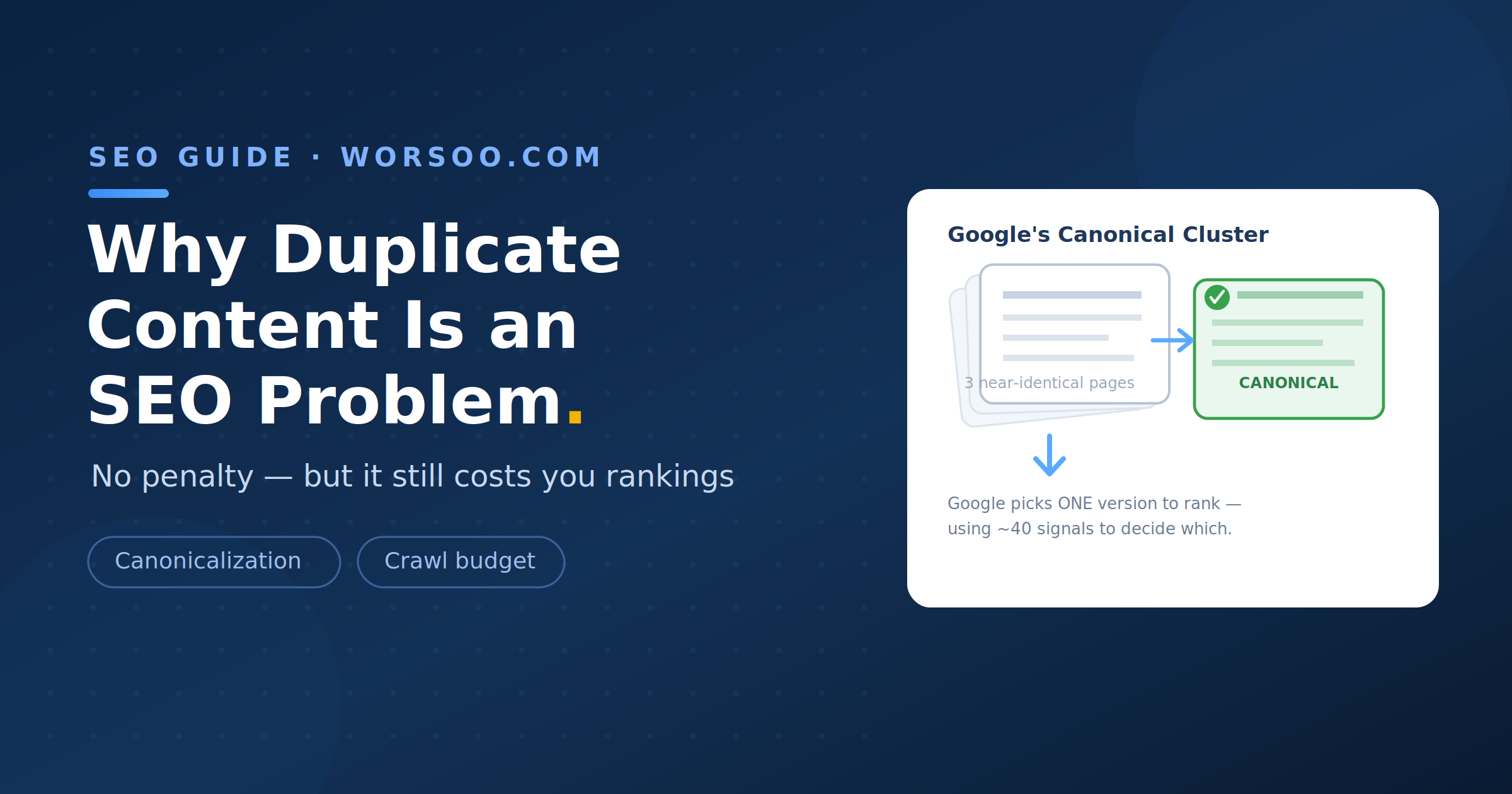
Quick answer: Duplicate content is not a Google penalty, but it can still create SEO problems. When Google finds multiple substantially similar pages, it may choose one version to index and show in search results. Poor URL structure, unnecessary duplicates, and unclear canonical signals can make crawling, indexing, and ranking less efficient.
Duplicate content is one of those SEO topics that is often misunderstood. Many website owners hear that duplicate content can cause a “penalty” and assume that having similar pages will automatically hurt their rankings.
That’s not how Google generally treats duplicate content.
There is no general duplicate content penalty for having substantially similar pages on your website. However, duplicate or near-duplicate pages can still create technical SEO problems, particularly when you have many versions of the same content accessible through different URLs.
Let’s look at what actually happens and how you can fix it.
Why Is Duplicate Content an Issue for SEO?
If Google finds multiple pages with substantially the same content, it may group those pages together and select one URL as the canonical version.
The canonical URL is the version Google considers the main representation of that content and is generally the version it prefers to show in search results.
Google can use several signals when choosing a canonical URL. These can include:
rel="canonical"annotations- Redirects
- Internal links
- Sitemap URLs
- HTTPS versions
- The overall similarity and structure of the pages
Importantly, a canonical tag is a recommendation rather than an absolute command. Google can choose a different canonical URL if other signals suggest that another version is more appropriate.
This can create several SEO problems:
| Problem | What can happen |
|---|---|
| Wrong page indexed | Google may select a URL you did not intend to be the main version. |
| Indexing inefficiency | Google may spend resources processing duplicate or near-duplicate URLs. |
| Signals spread across URLs | Links and other signals can point to multiple versions instead of consistently supporting one preferred URL. |
| Poor search visibility | Pages you want indexed may not appear because Google considers another URL to be the representative version. |
The important point is that duplicate content is usually an indexing and consolidation problem, not a punishment from Google.
How Much Duplicate Content Is Acceptable?
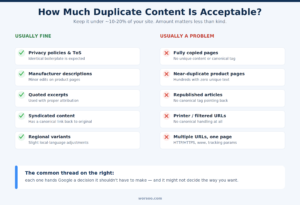
There is no official percentage of duplicate content that Google considers acceptable.
You should not assume that having 10%, 20%, or any other specific percentage of duplicate content will automatically cause an SEO problem.
Some duplication is completely normal on websites. For example, different pages may contain the same navigation, footer, legal information, contact details, or other boilerplate elements.
The bigger concern is when your website contains many pages that are substantially similar and provide little or no additional value.
Usually normal
| Usually normal | Potential SEO problem |
|---|---|
| Privacy policy and terms pages | Entire articles copied from another website |
| Shared navigation and footer content | Hundreds of near-identical product pages |
| Short quoted sections with attribution | Multiple URLs showing the same article |
| Similar product variants where the differences are meaningful | Filter and sorting URLs creating large numbers of duplicate pages |
| Necessary legal or business information | HTTP and HTTPS versions both accessible |
| Properly managed syndicated content | Multiple URL versions of the same page with no clear canonical preference |
The goal isn’t to eliminate every repeated sentence on your website.
The goal is to make sure search engines can clearly understand which URL is the primary version of each piece of content.
Where Does Unintentional Duplicate Content Come From?
Most duplicate content isn’t created deliberately.
It often happens because of the way a website is built.
Common causes include:
URL Parameters
Tracking parameters, sorting parameters, filtering options, and session-related parameters can create multiple URLs that display substantially the same content.
For example:
example.com/shoes
example.com/shoes?color=black
example.com/shoes?sort=price
example.com/shoes?utm_source=newsletter
Depending on how the site is configured, these URLs may create unnecessary duplication.
HTTP and HTTPS Versions
A website should normally have one preferred protocol.
If both versions are accessible:
http://example.com/page
https://example.com/page
you should make sure the HTTP version redirects properly to HTTPS.
WWW and Non-WWW Versions
Similarly, avoid having separate accessible versions such as:
https://www.example.com/page
https://example.com/page
Choose your preferred version and redirect the alternative.
Printer-Friendly Pages
Some websites create separate printer-friendly versions of articles.
If the printable version contains the same content as the main page, it can create an unnecessary duplicate URL.
Ecommerce Filters
Ecommerce websites can create thousands of URLs through filters such as:
- Color
- Size
- Brand
- Price
- Material
- Rating
- Sorting
For example:
/store/shoes
/store/shoes?color=black
/store/shoes?size=10
/store/shoes?brand=nike
Not every variation needs to be indexed.
Manufacturer Product Descriptions
If multiple online stores use the exact same manufacturer description, their product pages can contain very similar content.
Adding useful, original information can make the page more valuable, such as:
- Original product descriptions
- Specifications explained clearly
- Customer questions
- Product comparisons
- Buying advice
- Original images
- Pros and cons
- Usage information
Can Duplicate Business Listings Affect Local SEO?
Duplicate business listings are a separate issue from duplicate website content, but they can still create problems for local businesses.
For example, a business might accidentally have multiple listings for the same location on a local platform.
Duplicate listings can create confusion for customers and may result in inconsistent business information across listings.
For local SEO, businesses should generally aim to maintain accurate and consistent information, including:
- Business name
- Address
- Phone number
- Website
- Opening hours
- Business category
If duplicate listings exist, follow the platform’s procedures for reporting, merging, or removing duplicate listings.
This is different from canonicalization on a website, but the underlying principle is similar: make it clear which version represents the real business.
Do Duplicate Page Titles Affect SEO?
Duplicate page titles are not the same thing as duplicate content, but they are still worth fixing.
If multiple pages have identical or very similar title tags, search engines and users may have a harder time distinguishing the purpose of each page.
For example, imagine an ecommerce website with these titles:
Running Shoes | Example Store
Running Shoes | Example Store
Running Shoes | Example Store
Running Shoes | Example Store
These titles don’t tell users which page is different.
More descriptive titles would be clearer:
Men's Running Shoes | Example Store
Women's Running Shoes | Example Store
Trail Running Shoes | Example Store
Lightweight Running Shoes | Example Store
Unique and descriptive titles can help search engines understand the page and can also make search results easier for users to understand.
However, simply changing a title tag does not solve substantial duplicate body content. If two pages contain essentially the same content, you should address the underlying duplication as well.
How to Eliminate Duplicate Content on Ecommerce Websites
Ecommerce websites commonly face duplicate content because of product variations, filters, sorting parameters, and manufacturer descriptions.
Here are several ways to manage the problem.
1. Use Canonical Tags Where Appropriate
If several URLs represent substantially the same content, use a canonical tag to indicate the preferred URL.
For example:
<link rel="canonical" href="https://example.com/product/shoes">
The canonical should point to the preferred version of the page.
Make sure the canonical URL is accessible, indexable, and represents the same or substantially similar content.
2. Improve Product Descriptions
Avoid relying entirely on manufacturer-supplied descriptions.
Add useful original information that helps customers make a decision.
For example:
- Product benefits
- Detailed specifications
- Compatibility information
- Size guidance
- Usage instructions
- Original FAQs
- Comparisons with similar products
The objective isn’t simply to change a few words. The page should provide genuinely useful information.
3. Control Filter and Sort URLs
Not every filter combination needs to be indexed.
Review how your ecommerce platform handles:
- Filters
- Sorting
- Search pages
- Pagination
- Product variations
- Tracking parameters
Choose an indexing strategy based on whether those URLs provide useful, unique search demand.
4. Consolidate Similar Pages
If two category or product pages serve essentially the same purpose, consider consolidating them.
Depending on the situation, you may:
- Redirect one URL to another
- Use a canonical
- Improve the content so the pages serve clearly different purposes
- Remove unnecessary pages
5. Handle Alternate Page Versions Properly
Printer-friendly pages, old URLs, duplicate URL structures, and other alternate versions should have a clear technical strategy.
Depending on their purpose, the appropriate solution may be a redirect, canonical tag, or another indexing control.
How to Fix Duplicate Content on Your Website
If you discover duplicate pages, don’t immediately delete everything.
First, identify why the duplication exists and decide which URL should be the primary version.
Here’s a practical process.
Step 1: Find Duplicate URLs
Use tools such as:
- Screaming Frog
- Ahrefs
- Semrush
- Sitebulb
- Google Search Console
You can also search Google for distinctive sentences from your content to find copies or syndicated versions.
Step 2: Identify the Preferred URL
For each duplicate group, decide which page should be the primary version.
Consider:
- Which URL is linked internally?
- Which page has the strongest external links?
- Which URL is already ranking?
- Which page provides the most useful content?
- Which URL structure do you want users to access?
Step 3: Consolidate Where Appropriate
If two pages serve the same purpose and there is no reason to keep both, a 301 redirect can often be used to send users and search engines from the old URL to the preferred URL.
If both URLs need to exist but one is the preferred version, a canonical tag may be appropriate.
Step 4: Improve Internal Linking
Make sure your internal links consistently point to the preferred URL.
For example, don’t link to:
example.com/page
in one part of the website and:
example.com/page?source=menu
somewhere else unless there is a specific reason.
Consistent internal linking helps reinforce which URL you consider primary.
Step 5: Check Your Sitemap
Your XML sitemap should generally contain the URLs you want search engines to discover and consider for indexing.
Avoid filling your sitemap with unnecessary duplicate or alternate URLs.
Step 6: Monitor Google Search Console
After making changes, monitor Google Search Console for indexing changes.
Pay attention to reports and signals related to:
- Indexed pages
- Excluded pages
- Duplicate pages
- Google-selected canonical URLs
- Crawling and indexing issues
Google may take time to recrawl and reprocess your changes, so don’t expect every change to appear immediately.
Duplicate Content vs. Thin Content
Duplicate content and thin content are related to SEO quality, but they are not the same thing.
Duplicate content means substantially similar content appears at multiple URLs.
Thin content generally refers to pages that provide little useful or original value to users.
For example, a website could have 500 unique pages that are all thin, or it could have 500 pages that are nearly identical.
The solution is different in each case.
For duplicate content, you may need:
- Canonicalization
- Redirects
- URL consolidation
- Better site architecture
For thin content, you may need:
- More useful information
- Better search intent alignment
- Consolidation of low-value pages
- Improved original content
Understanding the difference helps you choose the correct SEO solution.
Does Duplicate Content Cause a Google Penalty?
Generally, no.
Google has explained that duplicate content is not automatically treated as a spam violation or ranking penalty simply because the same or similar content exists on multiple URLs.
However, that doesn’t mean duplicate content should be ignored.
Google still needs to determine which version to index and show in search results.
If your website contains a large number of unnecessary duplicate URLs, you may experience issues with:
- Canonical selection
- Indexing
- Crawl efficiency
- Search visibility
- URL consolidation
The important distinction is:
Duplicate content isn’t necessarily a penalty, but poor duplicate-content management can still create SEO problems.
Final Thoughts
Duplicate content is often misunderstood.
You don’t need to panic every time two pages on your website contain similar information. Some duplication is completely normal, especially for navigation, legal information, product specifications, and other site-wide elements.
The real problem occurs when your website creates large numbers of unnecessary duplicate or near-duplicate URLs and doesn’t clearly communicate which version should be treated as the primary page.
The best approach is to:
- Identify unnecessary duplicate URLs
- Choose a preferred version
- Use canonical tags where appropriate
- Redirect URLs that should no longer exist
- Keep internal links consistent
- Manage ecommerce filters and parameters carefully
- Keep your sitemap focused on preferred URLs
- Create useful, original content where appropriate
- Monitor indexing in Google Search Console
In other words, don’t focus on achieving a specific “duplicate content percentage.” Focus on making your website’s URL structure clear and making every important page useful to both users and search engines.
If you suspect duplicate or near-duplicate pages are quietly capping your rankings, a proper crawl audit is exactly where we’d start, and it’s a core part of every technical review we run for clients at Worsoo.